
Loading interactive demos…

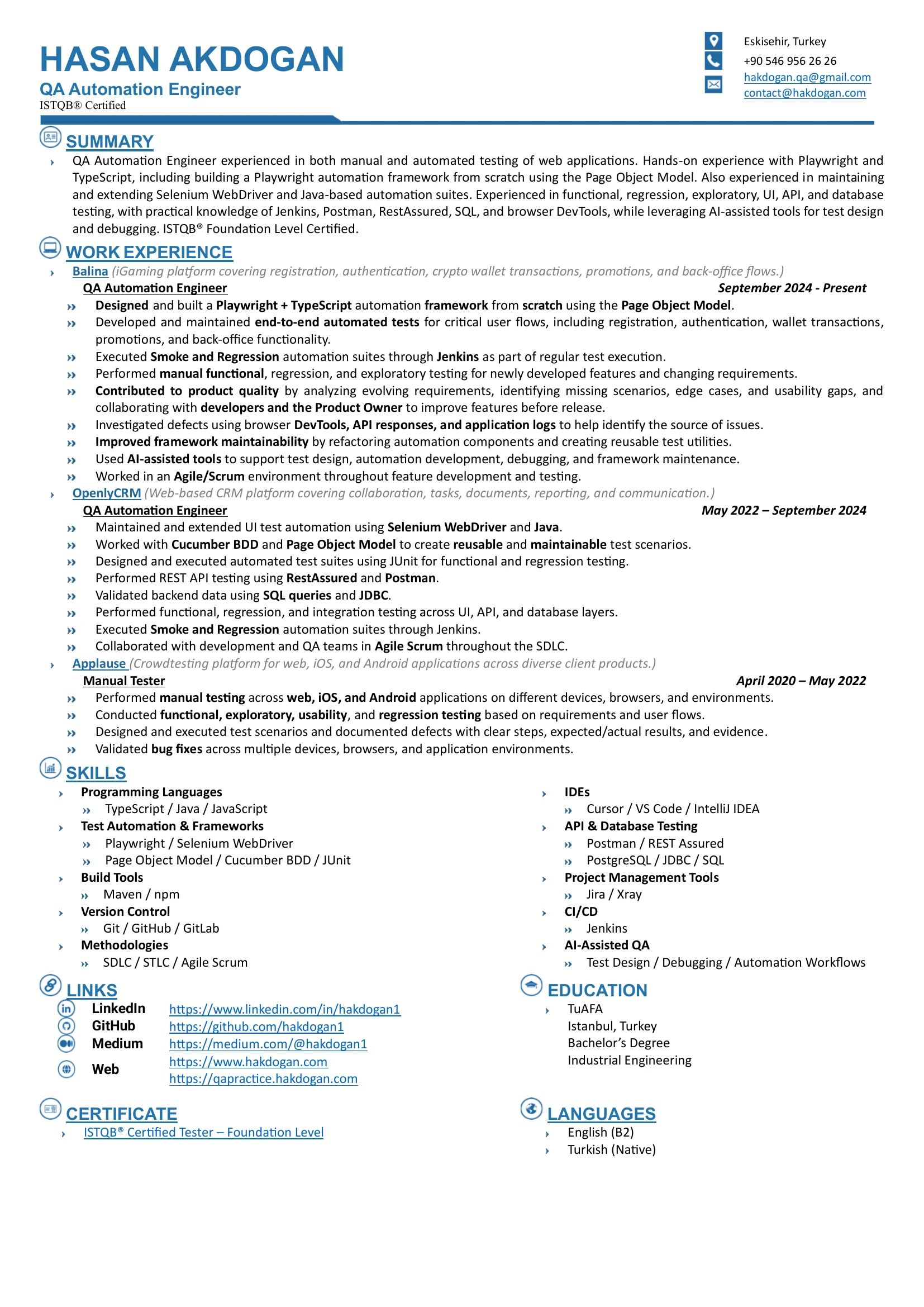
HASAN AKDOGAN QA Automation Engineer · ISTQB® Foundation Level Certified

Quality|Assurance|Automation|Verification|Validation|Reliability

WATCH INTRO
RESUME

ABOUT ME

QA Automation Engineer focused on scalable test automation, quality engineering, and reliable delivery.

Hasan Akdogan, QA Automation Engineer

Hasan Akdogan

Test Automation Quality Assurance ISTQB® FL Certified

Open to Remote Opportunities

Test automation, pipelines & release-quality signals

Hands-on experience in UI test automation using Playwright (TypeScript) and Selenium (Java), complemented by API testing and database validation.

Stack

  • Playwright
  • TypeScript
  • Selenium
  • Java
  • Jenkins
  • API
  • SQL

At a glance: real UI automation projects, test frameworks, and quality engineering

Real Projects

Hands-on UI automation projects built with Playwright, TypeScript, Selenium, and Java, focused on real-world test scenarios and maintainable automation.

Test Automation Expertise

Experience designing and maintaining UI automation frameworks, reusable test components, and Smoke & Regression suites integrated with Jenkins CI/CD.

Quality Engineering

Hands-on experience in functional, regression, exploratory, and manual testing, supported by DevTools, API responses, and application logs for defect investigation.

QA PRACTICE

My practice platform for manual and automation testing — real UI, forms, flows, APIs and bugs to find.

A free web app I designed and built for practising QA. Every page is made to be tested: try it by hand first, then automate it with Playwright or Selenium.

What you can practise

Learning path 01 UI Elements 02 Forms 03 Framework
OPEN QA PRACTICE

Free · no install · guest session available — opens qapractice.hakdogan.com in a new tab.

Simulated headed run — the lab opens in your browser when you use the CTA.

TEST AUTOMATION DEMO

How I test a feature from start to finish — one login story through every step: analysis, test case, manual test, automation, report, and a real bug found, reported and retested.

1a User Story → 1b Test Case → 1c Manual Test (requirement analysis · test case document · Gherkin)

User Story As a user, I should log in successfully and leave the session safely.
Acceptance Criteria User can log in with valid credentials, access the Products page, log out successfully, and return to the login form.
Requirement Analysis Questions for the PO / extra scenarios:
  • Error message for wrong password or empty fields?
  • What happens for a locked-out user?
  • After logout, can the user go back to Products with the browser Back button?
→ Added as separate negative test cases (TC-LOGIN-002…004).
Test Case ID TC-LOGIN-001
Test Case Description Verify successful login with valid credentials and complete Sauce Demo login/logout flow.
Pre-Condition Application is accessible and demo environment is available.
Test Steps and Description
  1. Navigate to the application URL.
  2. Log in with valid credentials.
  3. Verify logged in.
  4. Open side menu and Click Logout.
  5. Verify login form is displayed again.
Test Data
URL: https://www.saucedemo.com User: standard_user Pass: secret_sauce
Expected Result User logs in successfully, logs out successfully, and the login form is displayed again.
Execution Manual first (Chrome) → then automated: critical, stable and repeated in every regression.
Actual Result Actual behavior matches expected result. Test completed successfully.
Comments / evidence Demo execution output confirms successful flow.
Pass / Fail PASS
Feature: User Authentication
  Scenario: Successful login and logout
    Given the login page is displayed
    When I log in with valid credentials
    Then the inventory page should be visible
    When I click Logout
    Then the login page should be displayed again

Automation Script (test case → Playwright + TypeScript)

import { test, expect } from '@playwright/test';
import { LoginPage } from './pages/LoginPage';
import { InventoryPage } from './pages/InventoryPage';

test.describe('SauceDemo — auth', () => {
  let loginPage: LoginPage;
  let inventoryPage: InventoryPage;

  test.beforeEach(async ({ page }) => {
    loginPage = new LoginPage(page);
    inventoryPage = new InventoryPage(page);
    await loginPage.goto();
  });

  test('TC-LOGIN-001: login → inventory → logout', async () => {
    await loginPage.login('standard_user', 'secret_sauce');
    await inventoryPage.expectLoaded();

    await inventoryPage.logout();
    await expect(loginPage.loginButton).toBeVisible();
  });
});

Automated Run (npx playwright test · simulated console)

Pick a build and click Run test. Build v1.0.1 has a logout bug, so the test fails. Report the bug, then retest on the fixed build v1.0.2.

npx playwright test — chromium

Execution summary

STATUS —
Browser —
Framework —
Execution time —

Browser Execution (headed Chromium · each step of the test)

Chromium (headed · demo)
about:blank
Headed preview
Run the test to watch the UI follow each Playwright step.
Loading page…
Swag Labs

Products (inventory)

  1. Start — engine & open URL
  2. Log in with demo user
  3. Assert products (inventory)
  4. Open menu & log out
  5. Back to login & pass

Test Report & Evidence (HTML report · screenshots · video · trace)

Awaiting run No execution yet — click Run test to populate.
No results report: — browser: —
HTML Report —
— test cases
—

SUITES 0 item total

—
Show all

Environment

There are no environment variables (simulation)

Test cases 0 items total

Show all
Total tests
—
Suite scope
Passed
—
Assertions OK
Failed
—
Flaky / errors
Duration
—
Wall time
Browser
—
Project

Recent run

Test name Status Duration
— — —

Artifacts

Screenshot

On a real run, Playwright saves PNGs per step or on failure. In this demo, assert thumbnails (login, inventory, logout) load only after the run finishes; until then, the slots stay empty.

Assert: Swag Labs login (demo screenshot)
Assert: SauceDemo inventory (demo screenshot)
Assert: back to sign-in (demo screenshot)
Video

On a real run, set video: 'on' or 'retain-on-failure' in playwright.config — output often lands in test-results/. In this demo, a screen recording (video evidence) is attached only after the run completes.

Demo file: videos/pw-run-demo-evidence.mp4 — optimized screen capture of the login → inventory → logout run.

Trace Viewer
Traces bundle DOM, network, and console. Open with npx playwright show-trace trace.zip — ideal for debugging flaky steps in a headed timeline UI.
HTML Report
Default reporter writes playwright-report/index.html. Use npx playwright show-report locally; publish the folder as a CI artifact. Allure users swap in allure-playwright + allure serve for a comparable dashboard.

This panel is a front-end simulation. In production, wire the same layout to your reporter output or Allure JSON — the workflow matches how QA engineers triage runs after npx playwright test.

Bug Report Lab — loading…

This interactive lab is loading. If this message stays, please refresh the page.

CI Pipeline Lab — loading…

This interactive lab is loading. If this message stays, please refresh the page.

API & Network Testing — loading…

This interactive lab is loading. If this message stays, please refresh the page.

Want to test real QA scenarios? Open QA Practice — register, login, API mock, dashboard, and Playwright-ready flows.

Open QA Practice ↗

PROOF OF SKILL

Interactive demos that showcase real tools, coding workflows, automation logic, and technical execution.

  1. 1Click a cardsetup, usage & demo
  2. 2Run Live Demotry the code yourself
  3. 3In my workhow I used each tool
Test automation
Languages
API & data
Workflow
Playwright Demo · login.spec

In my workBuilt a Playwright + TypeScript framework with POM from scratch in my last role.

test('login flow', async ({ page }) => {
  await page.goto('/login');
  await page.getByRole('button', { name: 'Login' }).click();
  await expect(page).toHaveURL(/app/);
});
console
[pw] ✓ navigate · /login [pw] ✓ click Login [pw] ✓ expect URL /app/
TypeScript Demo · app.ts

In my workThe language of my Playwright framework.

type User = { id: string };
const greet = (u: User) =>
  `hi, ${u.id}`;
tsc + console
$ tsc --noEmit && node dist/app.js hi, qa-lead
CI Pipeline Demo · build #184

In my workUsed in a previous role as part of the test workflow.

Checkout ✓
Test ✓
Report …
+ npm ci + npx playwright test 12 passed (1.4m) + publishHTML playwright-report/ Finished: SUCCESS
SQL Demo · portfolio_db

In my workSQL for database validation in my tests.

SELECT id, email, created_at
FROM users
WHERE active = true
LIMIT 3;
idemailcreated_at
1qa@x.dev2025-11-01
2lead@x.dev2025-10-20

2 rows · 1.1ms

API Demo · GET /api/health

In my workManual API testing; API automation with RestAssured.

GET
/api/health
200 OK · 42ms
{
  "status": "ok",
  "version": "1.0"
}
Git Flow Demo · main ← feature/qa-142

In my workVersion control for my projects on GitHub.

$ git switch -c feature/qa-142 $ git commit -am 'add assertion' $ git push -u origin HEAD
Java Console Demo · Main.java

In my workPrevious role: Selenium, JUnit, RestAssured and JDBC.

public class Main {
  public static void main(String[] a) {
    System.out.println("Hello");
  }
}
console
javac Main.java java Main Hello
WebDriver Demo · Chrome

In my workPrevious role: UI automation with Selenium WebDriver + Java.

driver.findElement(By.id("login"))
  .click();
assert driver.getCurrentUrl()...
log
[WebDriver] new session [wd] ✓ click #login
BDD Scenario Demo · login.feature

In my workPrevious role: BDD scenarios with Cucumber + Java.

Feature: Login
  Scenario: valid user
    Given the login page
    When I submit credentials
    Then I see the dashboard
Cucumber output
1 scenario (1 passed) 3 steps (3 passed) 0.42s
Issue Workflow Demo · board

In my workBug tracking; test management with Xray.

To Do
QA-139
In Progress
QA-142
Done
QA-100
QA-142 → In Progress · @qa-bot
Browser Runtime Demo · app.js
const run = () => {
  document.querySelector('#out')
    .textContent = 'ok';
};
run();
browser console
[runtime] app.js ok
QA Practice · qapractice.hakdogan.com
Register · Login · Dashboard
API Mock · Validation Forms
Playwright-ready Flows
Open Source · Practice Friendly · Live
↗ Open QA Practice

QA ENGINEER CAREER

Selected resources for QA careers, interview prep, real work expectations, and growth in testing.

SUBJECTS

Learn core QA, automation, and software topics — plus quick Cheat Sheets for fast revision.

QA Process

SDLC

The six phases of the software development life cycle: requirements, design, development, testing, release and maintenance.

QA Process

Agile Scrum

How a two-week Scrum sprint works and what happens in each of the five Scrum events.

QA Process

How to Test

A worked example: testing a vending machine, from requirements and acceptance criteria to negative cases.

QA Process

Test Case Design

Creating effective scenarios with positive, negative, boundary and edge case coverage.

Test Automation

Locators

The 8 Selenium locators (id, name, className, tagName, linkText, partialLinkText, cssSelector, XPath) and when to use each.

Test Automation

Page Object Model

A design pattern that keeps page elements and actions in page classes, so tests stay readable, maintainable and reusable.

Test Automation

Synchronization

Why elements load at different times, and how Thread.sleep, implicit, explicit and fluent waits handle it.

Test Automation

Playwright Automation

A modern framework with auto-waiting, cross-browser support and strong debugging tools for reliable tests.

OOP (Java)

Encapsulation

Hiding data with private fields and exposing it safely through public getters and setters.

OOP (Java)

Abstraction

Hiding implementation details and showing only what is needed: abstract classes, abstract methods and interfaces.

OOP (Java)

Polymorphism

One reference, many forms: method overriding and overloading, upcasting and downcasting.

Tools

Git Commands

Everyday Git commands (clone, status, add, commit, branch, checkout, merge, pull, push) and resolving merge conflicts.

CONTACT ME

Open to remote opportunities, collaborations, freelance projects, and professional connections.

Send a message

* Required. Your details are only used to reply to you.

Hasan Akdogan

QA Automation Engineer

Hello! I'm a QA Automation Assistant, here to provide guidance on software QA engineering.